Bequestor
A downloadable tool for Windows
Description
For the first time at BUAS, we were able to work on a personal research project for a block. To start off, we selected a dream job position, and based our projects off of that. I found mine as a Story Programmer for CD Projekt Red, and decided to create a tool for quest designers.
I ended up making a tool consisting of two parts: a simple Quest Creator UI tool, and a Quest System C++ library, Bequestor, that can import and keep track of quests created in the UI tool.
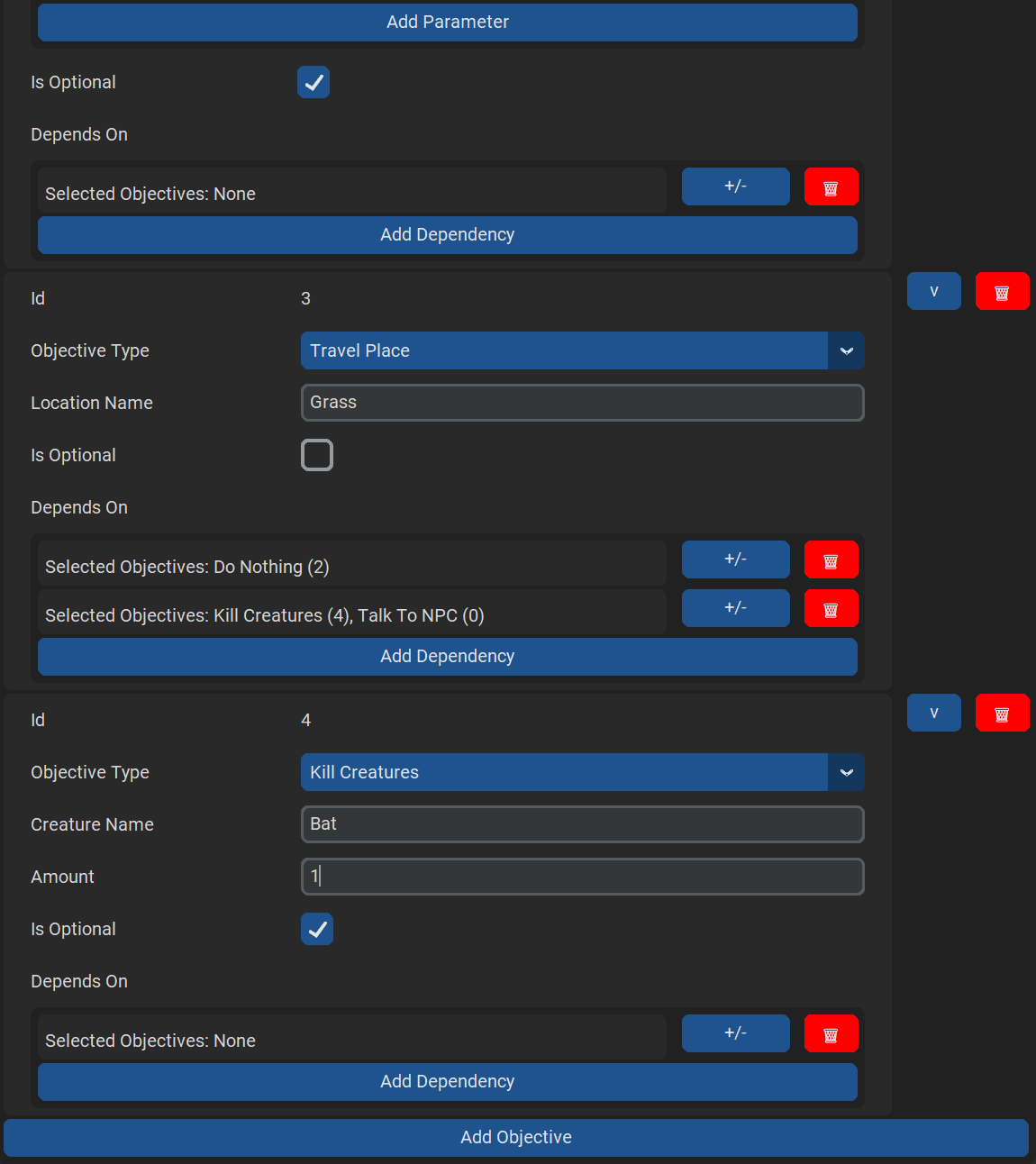
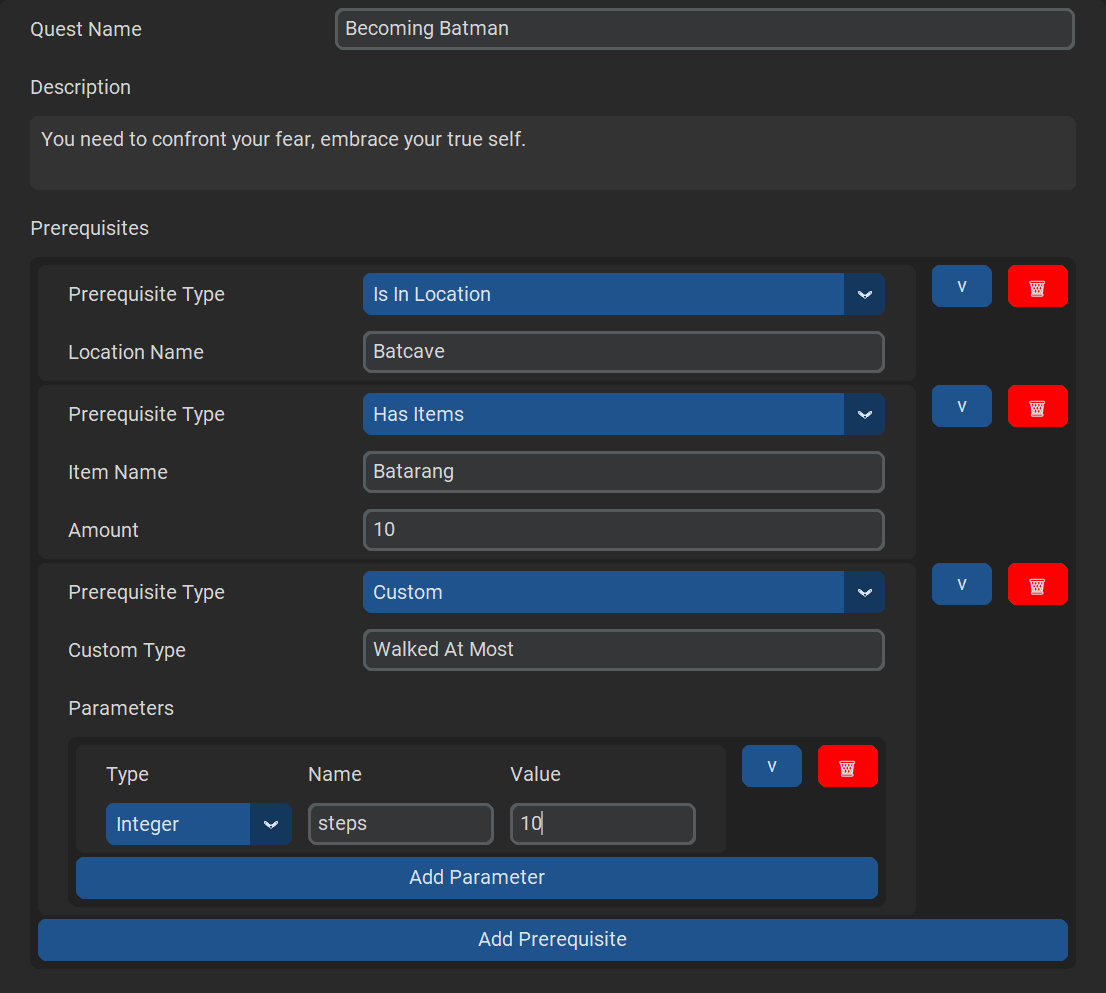
Using these tools, you can create quests with any number of both preset and custom prerequisites and objectives. Objectives can also depend on one another to allow for both sequential and branching quest paths.
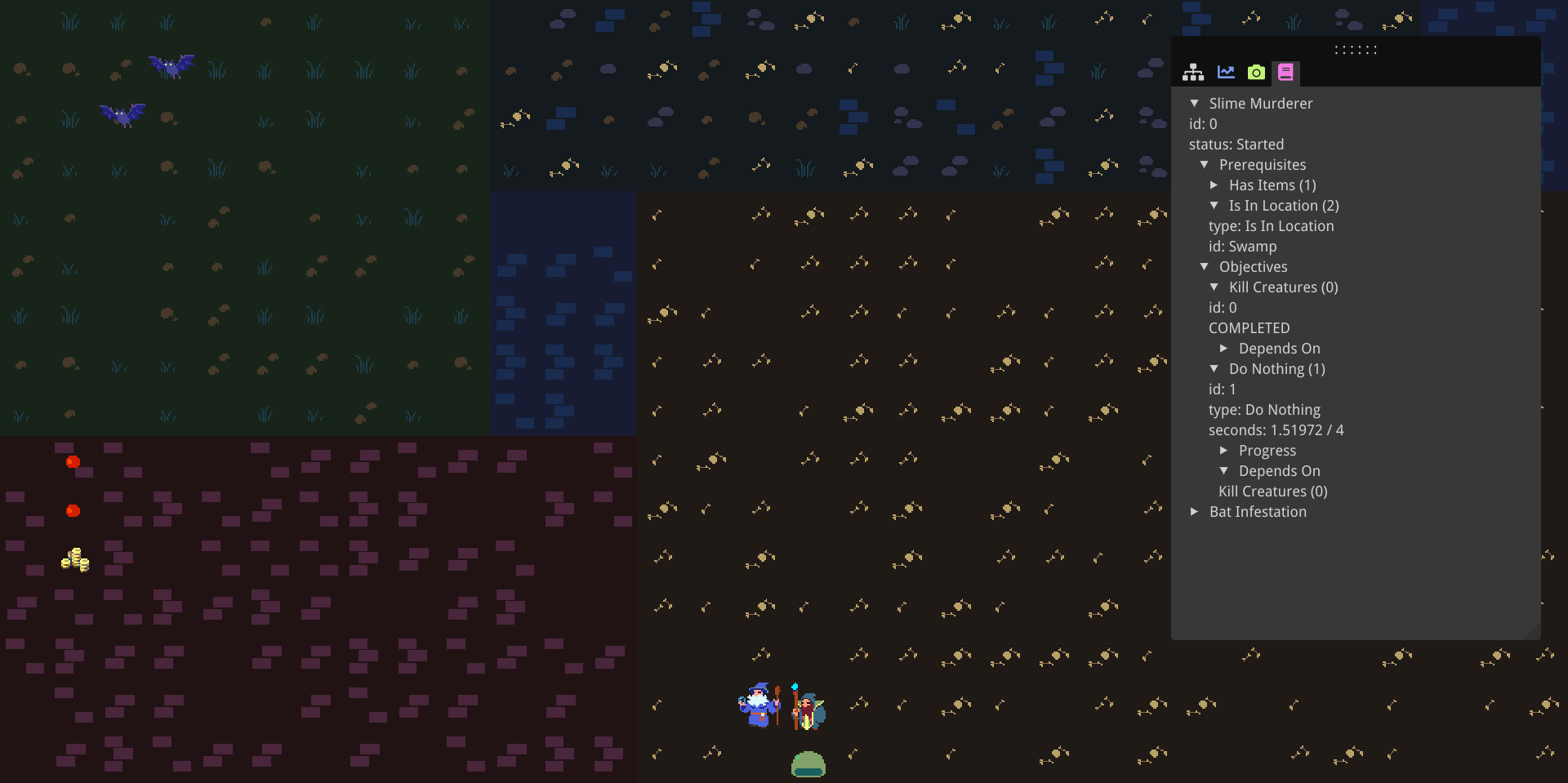
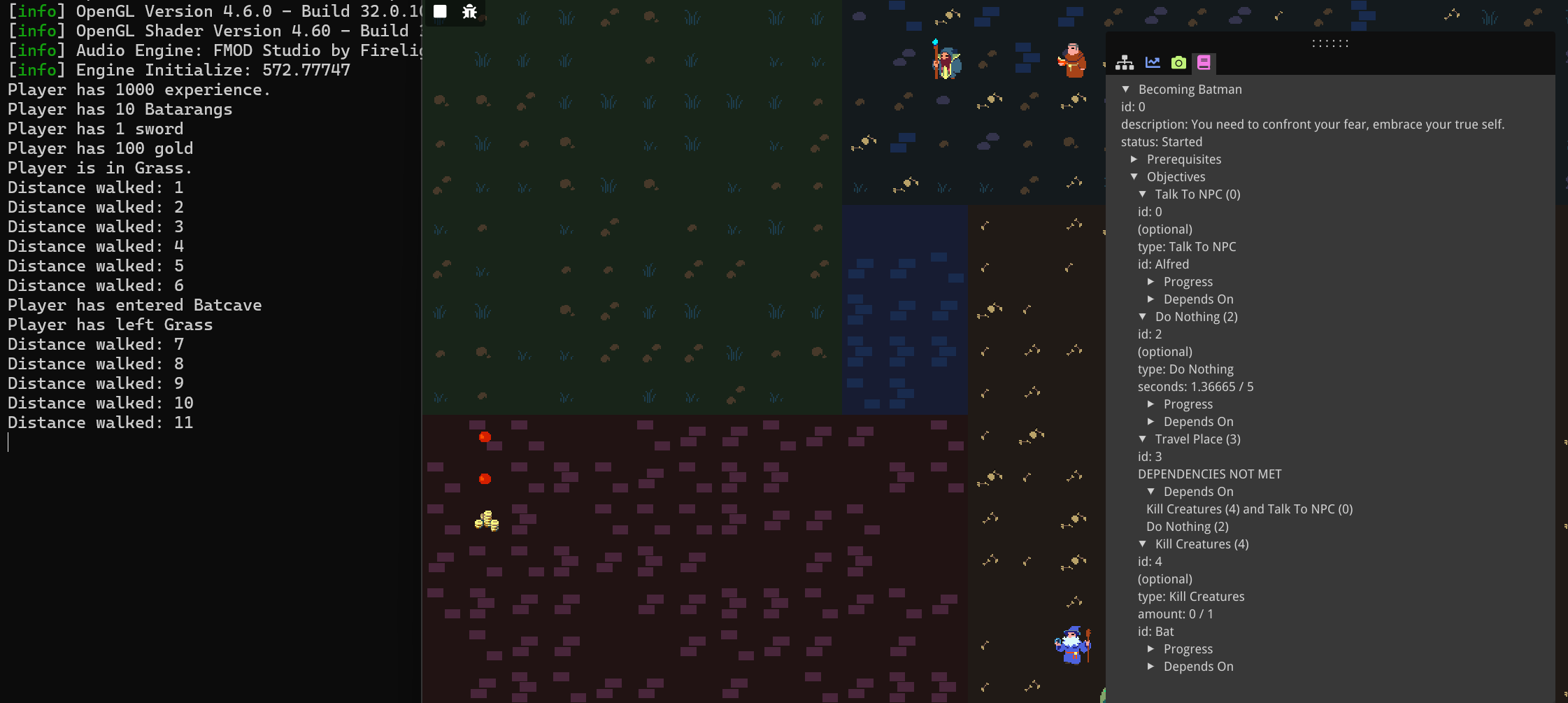
A little sample game, a simple top-down RPG, is included to show the possible features of the tool.
How to Use
An extensive user guide, as well as install instructions, are available on my website.
External Tools/Libraries
- The Quest Creation tool uses the CustomTkinter Python UI library.
- The Bequestor library makes use of nlohmann/json library for reading the exported quest JSON files.
- The sample RPG uses the BEE (Breda Educational Engine) game engine. Through the bee engine, the sample game makes use of a number of further external libaries:
- For the Entity Component System, the entt libary is used.
- For rendering, OpenGL is used.
- For math related to OpenGL, this project makes use of the GLM library.
- To load in images, the template makes use of stb_image.h.
- Dear ImGUI is used for the debug menu and options, as well as displaying the quests in the sample game.
- Additional libraries are used by or available through the bee engine, but are not used directly in this project.
Credit

- I've made use of the resources and teacher expertise provided by BUas, where I am following the Creative Media and Game Technologies study as a year 2 programmer.
- For the tiles and sprites used by the sample game, I'm making use of the 32rogues tileset by Seth here on Itch.
- I've used several tutorial articles, videos, books, and reference implementations in my research and development process.
- For understanding user wishes for quest design I've used this in-depth primer, this short video by Tim Cain, creator of Fallout, and this GDC talk by Guerilla Games.
- Some reference quest design systems, tools and plugins I've looked at are this tool by DancingMoonTube, this Unreal quest plugin by Sinbad, another Unreal plugin by MothCocoon, this quest extension for Hogwarts Legacy, and this dialogue tool used by Obsidian Entertainment.
- On top of this, I've looked at game-engine specific tutorials for quest systems in Unity and Game Maker.
- As a reference for tool design in general, I've taken a look at FMOD.
- I've used a number of design patterns in my design, such as the command pattern and the observer pattern, and compared the latter with an event queue.
- I've done some research into event systems and looked at this video by Tim Cain as well as this video by Cherno. To compare the observer and event queue patterns, I've look at several sources (1, 2, 3, 4 ,5, 6, 7).
- I've looked into several ways to implement dependencies between quests/objectives:
- Through dependency graphs in puzzle design (1, 2, 3) and game progression (1, 2, 3), and this great post by Game Maker's Toolkit.
- Through finite state machines as used in this Unreal quest system by The Game Dev Cave, this GDC talk by Inkle, this article by Bryan "frob" Wagstaff, as well as the skyrim modding community.
- Through behavior trees as described by Dave Mark in his book, Behavioral Mathematics for Game AI, or Ian Millington in chapter 5 of his book Artificial Intelligence for Games. I've looked at articles comparing behavior trees to finite state machines, such as this article by Zeerek Ahmad, as well as this Unity forum discussion.
- Through custom scripting, in tools like Ink, Yarn Spinner, and Twine.
- I also want to be transparent in that I have used an AI model, Claude, on several occasions in my development process, though I've been careful to use it only for help in research and verifying code, rather than using its generated code directly. For transparency's sake, this is what I've used Claude for:
- Getting started with API design, finding sources and design patterns to use.
- Looking into how to represent dependencies between quests and objectives, once again finding sources and design patterns to use.
- Debugging why Clang Tidy (a static analysis tool) didn't work.
- Using custom integer entries in CustomTkinter.
- Using std::variant parameters and displaying them in ImGUI.
- Fixing a compiler issue for generic types.
Download
Install instructions
Bequestor Tool
To use the Bequestor tool, download the file:
bequestor_tool.zip
And extract the files from the ZIP.
Quest Creator
In order to use the quest creator tool, you need Python 3 installed as a prerequisite.
To run the tool, traverse to the quest_creator folder, open the command prompt, and execute the following commands to create a virtual environment, activate it, install the dependencies, and run the script (you can omit the first two lines if you want to run it in the global environment):
python -m venv .venv\
.venv\Scripts\activate
pip install -r requirements.txt
python quest_creation_tool.py
Alternatively, you can run the runme.bat file, which executes these commands for you.
If you use Visual Studio Code, you can also do the following:
Open Visual Studio Code in the quest_creator folder, press Ctrl+Shift+P → Python: Create Environment... → Select Venv → Select your Python version → check requirements.txt → press OK.
Then simply open quest_creation_tool.py and run it from the editor.
Bequestor Library
To use the Bequestor library in a Visual Studio project, go to your project settings, then
- For all configurations, under Configuration Properties → C/C++ → General, find Additional Include Directories, and add the path to (a copy of) the bequestor/include folder.
- For your Debug configuration, under Configuration Properties → Linker → Input, find Additional Dependencies, and add the path to (a copy of) the bequestor/lib/Debug/bequestor.lib file.
- For your Release configuration, do the same, but instead add the path to (a copy of) the bequestor/lib/Release/bequestor.lib file.
- For all configurations, go to Configuration Properties → General, and set the C++ Language Standard to a version of C++17 or higher.
Now you can include the right header files in your own source and header files like:
#include <src/quest_manager.hpp>
As for how to use this creation tool and libary to create and register quests for your own project, check the user guide on my website.
Sample RPG
To play the sample RPG made with the Bequestor tool, simply download the file:
simple_rpg.zip
Extract the files and run:
game/rpg.exe
Development log
- Bequestor: A Versatile Quest System61 days ago


Leave a comment
Log in with itch.io to leave a comment.